My MIDI Controller is Detected but Unresponsive After Windows Update
My MIDI Controller is Detected but Unresponsive After Windows Update
TABLE OF CONTENTS
- Overview of Issue
- Am I impacted by this Windows Update?
- Recommended Workaround - Uninstall the Windows Update that introduced the issues
Overview of Issue
Microsoft has released a well-intentioned upgrade that has, unfortunately, been found to cause issues with some MIDI setups. Microsoft provides workarounds and is actively working to fix the issues via updates. Further issues and workarounds are outlined in a post from the Windows Dev Blog here: Windows MIDI Services rollout - known issues and workarounds
If your inMusic MIDI controller (MIDI keyboard, pad controller, fader controller, DJ controller, etc.) is properly detected by Windows and appears in your DAW, virtual instrument, or DJ software's MIDI device/settings list — but none of the physical controls (keys, pads, buttons, knobs, faders, jog wheels, etc.) respond or affect the software — this may be caused by compatibility issues with the new Windows MIDI service. This change was rolled out in certain Windows 11 updates starting in early 2026, particularly affecting versions 24H2 and 25H2.
Commonly associated updates include: 2026-01 Preview Update (KB5074105) (build around 26200.7705)
Follow-up patches such as KB5077181, KB5077241, and similar cumulative/preview updates from January–February 2026 onward.
Why this can happen: The new MIDI service enhances overall MIDI performance and adds modern features, but in some setups it leads to real-time MIDI messages not passing correctly from the device to the application — even when the device is enumerated/visible in Windows Device Manager and the software's MIDI inputs. This results in controls appearing "dead" despite detection.
While a common workaround is to ensure that your MIDI device is plugged into the computer before starting your DAW, this has not always resolved the issue.
We recommend that to ensure proper MIDI function with your current setup, you uninstall the Windows Update.
The first KB update containing the new Windows MIDI Services stack started rolling out during the last week of January, as the January 2026 Feature Update Preview (KB5074105).
Future updates may also include this feature, and so will need to be handled separately.
In short, the issues one can expect are as follows:
- Your MPC's MIDI Ports may not be enumerated upon the launch of the MPC 2 or MPC 3 Beta desktop software.
- Your MIDI Controller (M-Audio, Akai Pro, or Alesis MIDI Keyboard and/or Drumkit) may be recognized by your computer but appear 'dead' when affected within your Digital Audio Workstation or Virtual Instrument enviorment.
- Your DAW may experience a crash on startup
- Your DAW may hang when closed
- Your DJ Controller (Rane DJ, Denon DJ, or Numark) may be recognized by your computer, but will appear "dead" when trying to use the Jog Wheels, Faders, and Buttons.
Am I impacted by this Windows Update?
Microsoft has created a tool to allow users to check their system for the updated MIDI services to confirm if they are installed and enabled. To check this, please follow the steps below:
- Go to Microsoft's About Windows MIDI Services
- Download the recommended tool for your system
 Please note - The tool is unsigned, so your browser may show a warning when downloading
 - Extract and run the midicheckservice.exe tool
If you get a prompt blocking the software from running. Please click More Info and select Run anyway
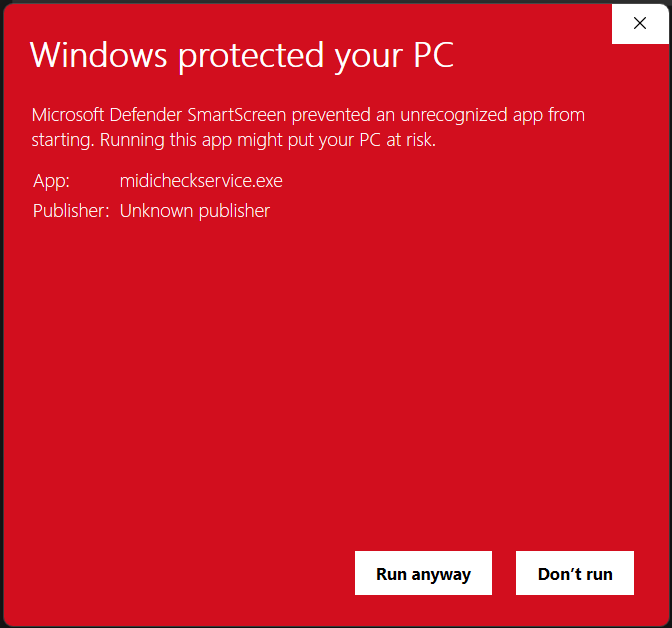
- The tool will then provide a result from its scan, indicating if the new services are functional or not on the system
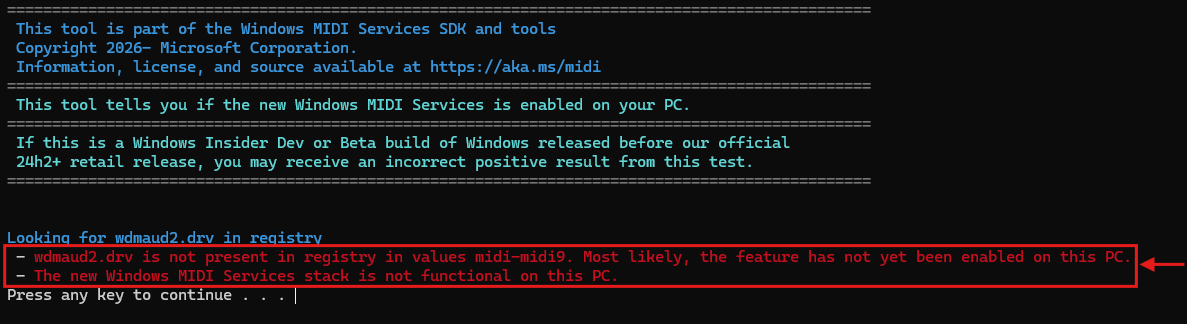
- Press any key to close the screen
Note, if the update is not found by this process, we recommend following MIDI troubleshooting with our support team.
Recommended Workaround - Uninstall the Windows Update that introduced the issues
- Right-click the Start menu and choose Settings.
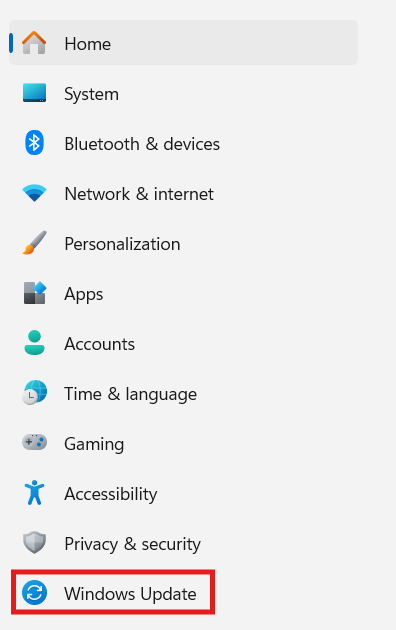
- Choose Windows Update.
- Choose Update History:
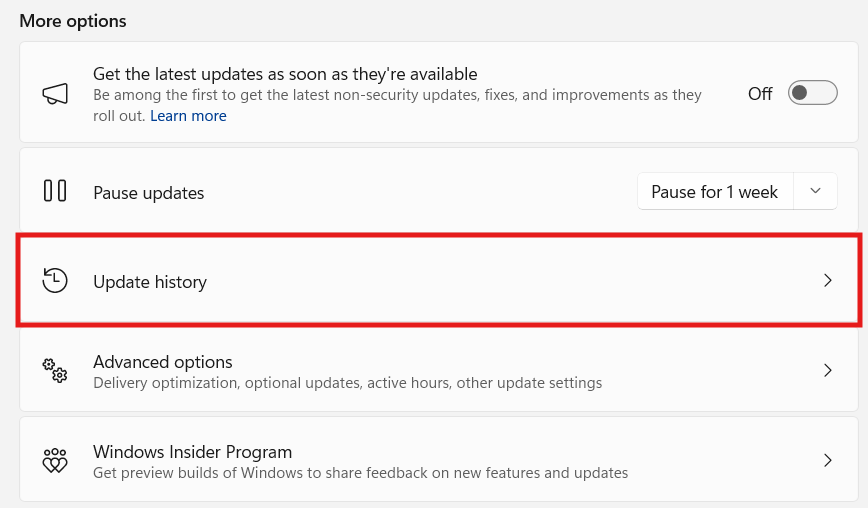
- Next, go to Uninstall Updates
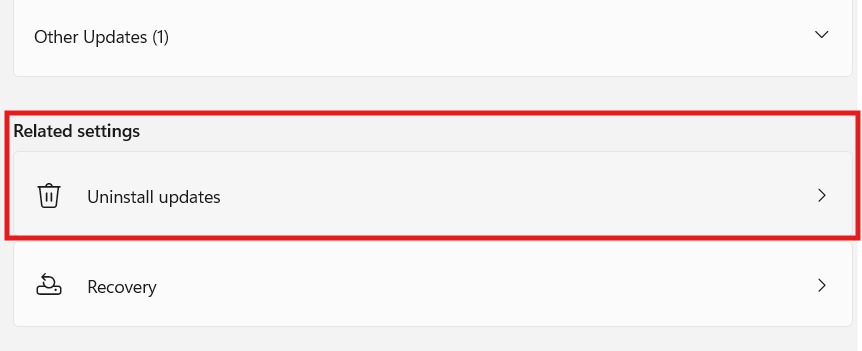
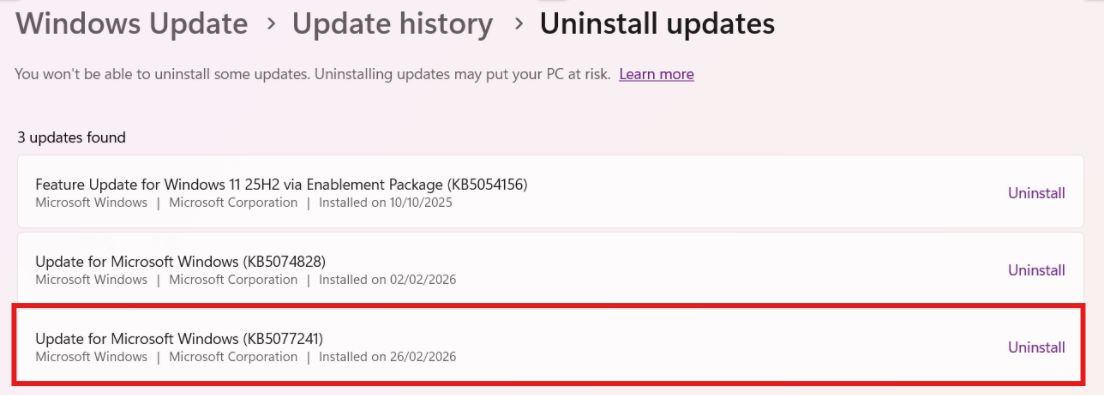
- Look for one of the 2026 Updates listed below. Click Uninstall. Choose yes, and allow your computer to restart.
KBKB5074105
KB5077181
KB5077241Future updates may also include this feature, and so will need to be handled separately until a patch is introduced.
USB-MIDI Troubleshooting